Scan any folder — or your whole disk — and explore it as a beautiful treemap. Find the big stuff, clean it safely, get your gigabytes back.
Free trial needs no account or card · One-time purchase · macOS 15.6+ · Apple notarized

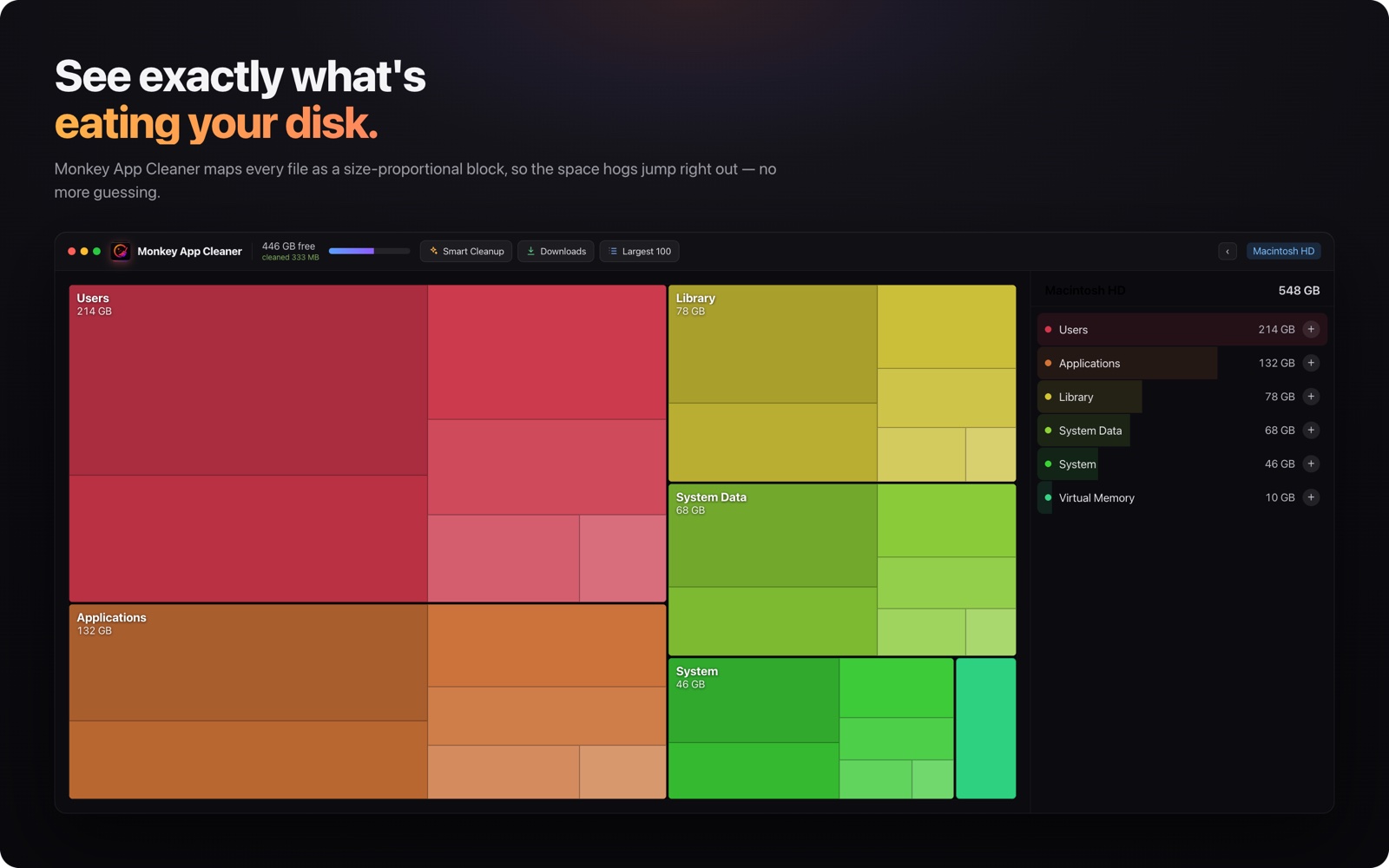
Every folder becomes a size-proportional block, so the space hogs jump right out — no more guessing where the gigabytes went. Click any block to zoom in, all the way down to a single file.
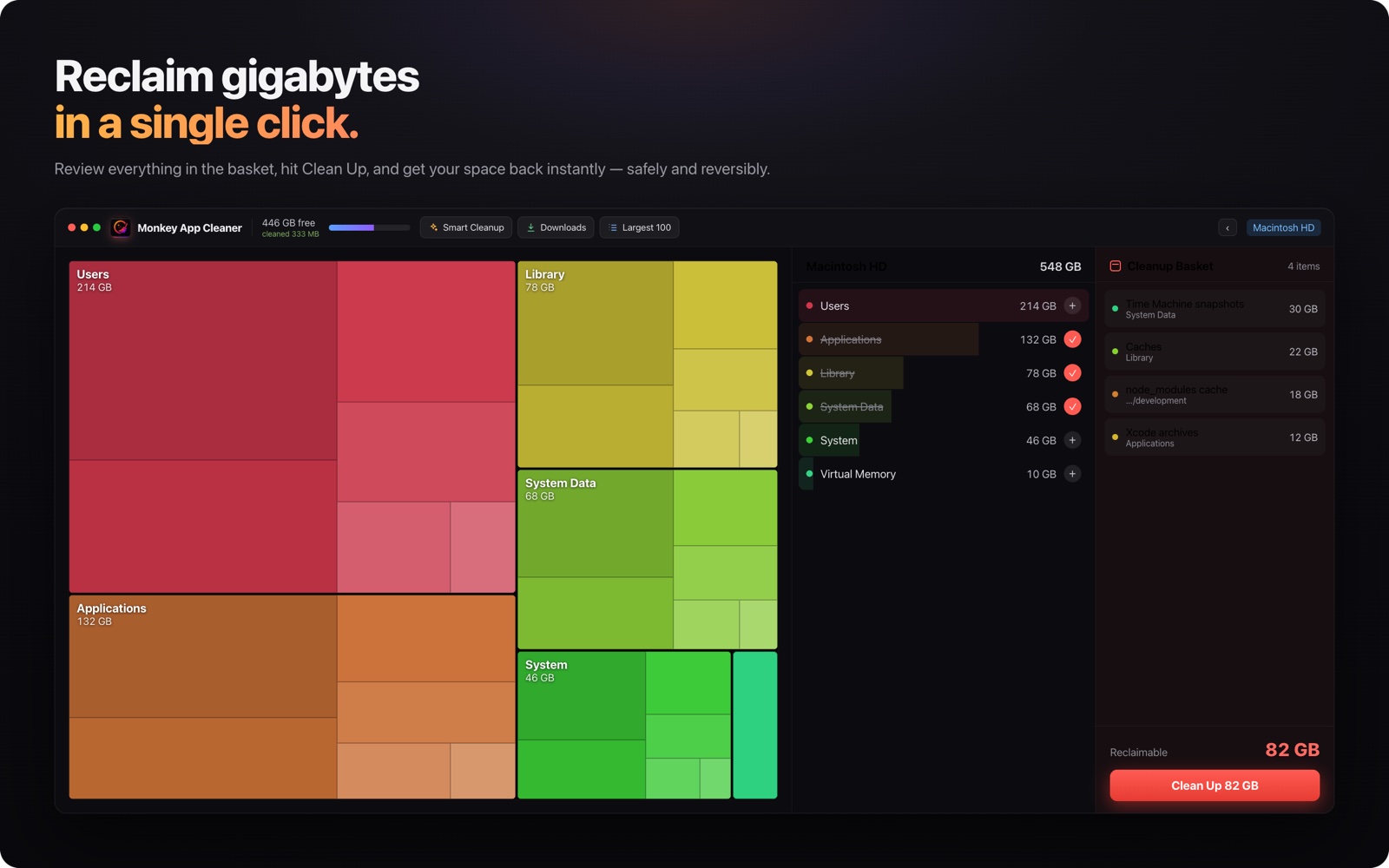
Queue folders into the cleanup basket and watch the reclaimable total add up. One click moves everything to the Trash — reversible, safe, and gone are the 82 GB you didn't need.
Dev machines collect junk like no other Mac. We know, because ours do too — so the usual suspects get first-class treatment.
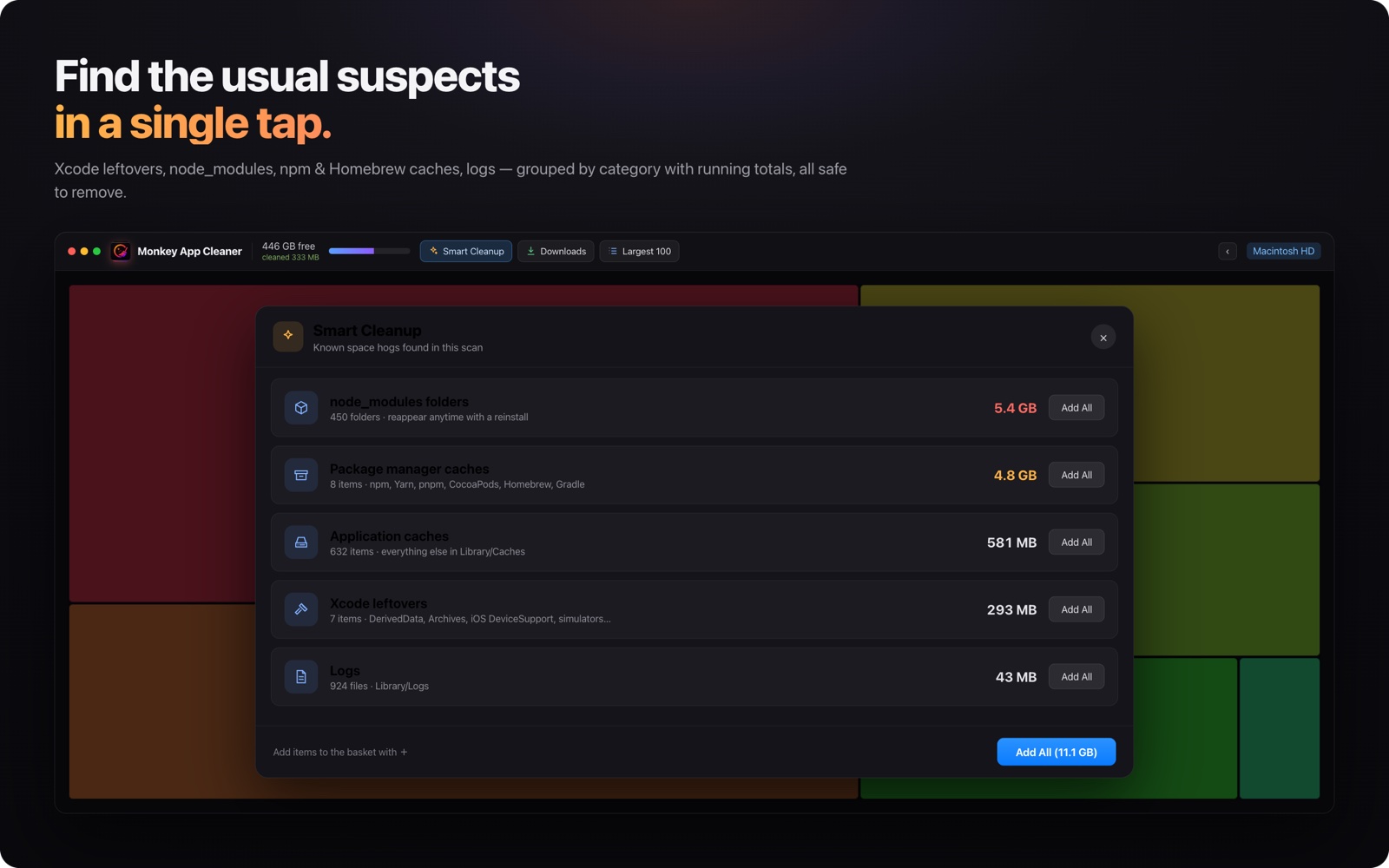
Smart Cleanup hunts down the classics automatically: DerivedData, old Archives, iOS DeviceSupport, simulator caches, stray node_modules folders and every package manager cache on the disk — each grouped with a running total, all safe to remove and easy to rebuild.
The menu bar widget keeps live sizes for these hotspots, so you can clear DerivedData between builds without even opening the app.
Built for speed, designed to be safe. Nothing is ever deleted without your say-so — items go to the Trash, so you can always undo.
Your disk as an interactive map: the bigger the box, the bigger the folder. Drill in with a click, preview files with the space bar.
The first scan does the heavy lifting; the next ones only look at what changed. Rescanning a full disk takes seconds, not minutes.
Caches, logs, developer junk like Xcode DerivedData, old installers — grouped into categories you can review and clear in one go.
A dedicated panel for the folder where clutter is born. Filter by “30 days+” or “100 MB+” and sweep it clean.
The single biggest files across your entire scan, ranked. Quick wins, one list.
Xcode caches, npm, Homebrew, simulator junk and your Trash — live sizes in your menu bar, cleanable without opening the app.
Try everything free for 7 days. Pay once, use it forever — no subscription.
Not sure yet? Download the free trial — no account, no card.
Already bought it? Recover your key
Download the app and use everything free for 7 days — no account, no card. When the trial ends you can still scan and explore; cleaning requires a license.
After purchase, your license key arrives by email within a minute. Open the app, click “License”, paste the key — done. One key works on up to 2 Macs.
The app is sandboxed and notarized by Apple. It never touches anything you didn't explicitly select, items are moved to the Trash (undoable), and files owned by the system are excluded from deletion entirely.
In the app's License screen click “Deactivate this Mac” to free up a seat, then activate on the new machine with the same key.
No problem — enter your email here and we'll resend it right away.
If the app doesn't work out for you, write to us within 14 days of purchase and we'll refund you — no questions asked.